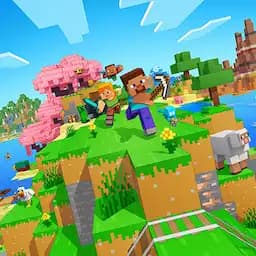
Minerank.com, formerly Server-Minecraft.net, is the ultimate destination for discovering and tracking Minecraft servers from all around the world. We’ve evolved into the most advanced and trusted Minecraft server list, featuring real-time monitoring, detailed analytics, and powerful tools designed for both players and server owners.
At Minerank, we believe finding the perfect server should be easy and exciting. Whether you’re searching for survival, skyblock, or minigame worlds or managing your own growing community, Minerank provides the tools and data you need to explore, compete, and grow.
How Minerank Ranks Minecraft Servers
Minerank isn’t a vote-only list. We rank Minecraft servers using real-time monitoring and multiple trust signals, so the servers you see at the top are active, stable, and consistently played.
Live player activity (what’s happening right now)
We track current player activity to understand which servers are actually being played not just which ones look good on paper.
Uptime & reliability (how stable the server is)
Servers that stay online and perform consistently rank better over time. Reliable servers are usually the ones players stick with.
Engagement signals (how the community is responding)
We look at ongoing activity trends and community interest to help surface servers that are growing and staying healthy.
Votes help but they don’t control the rankings
Votes can support a server’s visibility, but they’re only one part of the picture. Minerank prioritizes live performance signals so the rankings don’t become a “who can get the most votes” contest.
Always updating
Because the list is based on live monitoring, rankings can change as servers gain players, lose momentum, or go offline.
Tip: If you’re choosing between two servers, check the player count, uptime, game mode, and version support to find the best match for how you like to play.
Minecraft Server Safety Checklist (Before You Join)
Joining a new server is exciting… but a quick check can save you from lag, pay-to-win traps, or a server that wipes tomorrow. Here’s what to look at before you commit your time.
#1 Version support (and whether it’s Cracked or Premium)
Make sure your Minecraft version matches the server’s supported range. If you’re not using a premium account, look for Cracked servers specifically. Even if a server supports a wide range of versions, you’ll usually get the smoothest gameplay on the server’s recommended/latest version.
#2 Rules, anti-grief, and moderation
Scan the server rules (or Discord rules) before joining. A good server clearly explains what’s allowed, how griefing is handled, and what happens when players break rules. If you can’t find rules anywhere, that’s usually a red flag.
#3 Pay-to-win warning signs
Every server needs funding, but watch for obvious pay-to-win setups like paid kits that dominate PvP, loot crates that lock core progress, or ranks that give major combat advantages. If spending money feels “required” to compete, it may not be the best place to invest your time.
#4 Discord activity (is the community actually alive?)
Check the server’s Discord before joining. A healthy server usually has recent messages, active support channels, and clear announcements. If the Discord looks abandoned, the server might be heading the same way.
#5 Reset / wipe schedule (especially for Survival & SMP)
Some servers wipe worlds on a schedule (weekly, monthly, or per-season). That’s not bad, just make sure you know before you build a base for three days and lose it. Look for “season,” “wipe,” “reset,” or “map refresh” info in the listing or Discord announcements.
#6 Region & latency (avoid lag when it matters)
The server’s region affects ping. If you’re far away, you may feel lag in PvP, block-breaking, or movement. For competitive modes like PvP, Bedwars, Factions, and Lifesteal, choosing a server close to your region makes a big difference.
Can’t Join a Server? Try These Quick Fixes
If a server looks online but you can’t connect, it’s usually something simple. Run through these fast checks before you give up.
#1 Make sure you’re on the right edition (Java vs Bedrock). Java servers won’t work on Bedrock unless the listing clearly supports Bedrock or Crossplay. If you’re on console/mobile, choose Bedrock/Crossplay servers first.
#2 Double-check the IP (and port for Bedrock)For Java, the IP is usually enough. For Bedrock, some servers require a port (for example: example.net:19132). If the listing or server page mentions a port, include it exactly.
#3 Switch to a supported Minecraft versionIf the server supports a range of versions, try the newest supported version first. Wrong version is one of the most common reasons for “Disconnected” errors.
#4 The server may be restarting or fullBig networks restart often. Wait a minute and try again. If it’s full, try later or pick a similar server in the same game mode.
#5 Check your connectionRestart Minecraft, restart your router if needed, and try another server to confirm it’s not your internet. If only one server fails, it’s likely on their side.
Tip: If you still can’t join, open the server’s Discord (if listed). Active servers usually post restart notices, outages, and join help there.


![Complex Gaming [1.21] Server Icon](/_next/image?url=https%3A%2F%2Fsb.minerank.com%2Fstorage%2Fv1%2Fobject%2Fpublic%2Ffavicons%2Fcomplex-gaming-1-21%2F019a6dd3-2692-7399-827e-262de6dff1e5.webp&w=64&q=75)