
Published September 30, 2023 · Updated July 30, 2025
With the Minecraft 1.20.2 update, the villagers have expanded their trade offerings, bringing more opportunities than ever before. Whether you’re seeking village maps or enchantments for powerful gear, they have you covered. In many ways, they are the biggest asset on Minecraft 1.20 servers. But, that’s if you know how to turn on new villager trades in Minecraft. Let’s figure it out!
Turn On New Villager Trades in Minecraft 1.20.2
Note: At the moment, Villager Trade Rebalance is only an experimental feature for Minecraft. The trades, functionality, and mechanics are subject to change in the final release.
What is Villager Trade Rebalance
After years of witnessing the same trades, the players are in for a treat. The developers of Minecraft are now testing a bunch of new trades for the villagers. Some of these trades unlock new items and rare loot, while others limit the abilities of villagers.![[No context provided for image purpose or focus keyphrase. Assuming the image shows a dog and is for informative purposes.]](/_next/image?url=https%3A%2F%2Fwp.minerank.com%2Fwp-content%2Fuploads%2F2025%2F07%2FFarmer-Villager-in-Minecraft-2.jpg&w=3840&q=75)
These changes aim to bring balance to the trading system. Thanks to these adjustments, players will be able to plan, predict, and manage villager trading like never before. Plus, villagers are also getting trades that change with the village’s biome. This means that if you want to get everything out of a villager, you need to learn how to find all the villages in Minecraft.
How to Turn On New Villager Trades in Minecraft
The villager trade rebalance is still in the testing phase in Minecraft. To access these changes, you need to get a version that supports them as well as enables the experimental features in your world.
Download Latest Version of Minecraft
Currently, the new trades are exclusively available in Minecraft version 1.20.2, and the latest snapshots/previews. To access the new trades, you can download the latest version of the Java edition directly from the Minecraft Launcher.
Meanwhile, the Bedrock players can unlock these trades by updating their game from the app store on their device. But, keep in mind that Bedrock players have access to only half of the new trades.
Turn Experimental Features in Java Edition
Once you have a version of Minecraft that supports the new trades, here’s how to enable them:
1. First, launch the latest version of the game from the Minecraft Launcher.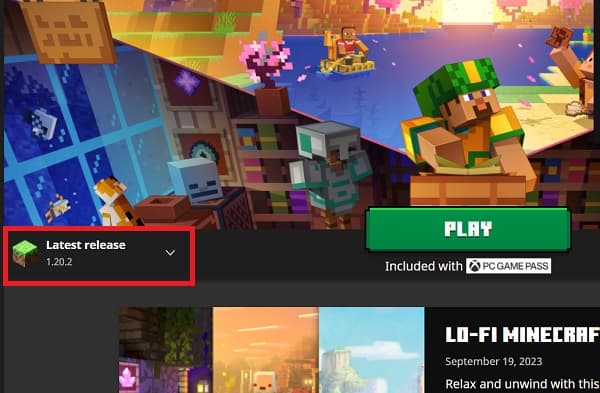
2. Then, click on the “Single Player” button on the home page of Minecraft.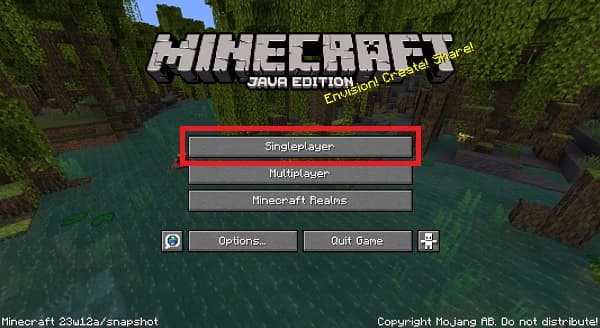
2. Next, click on the “Create New World” option. The new trades are only available when you make a new world and not your existing worlds. This also means that you can’t use them along with the “Quick Play” feature.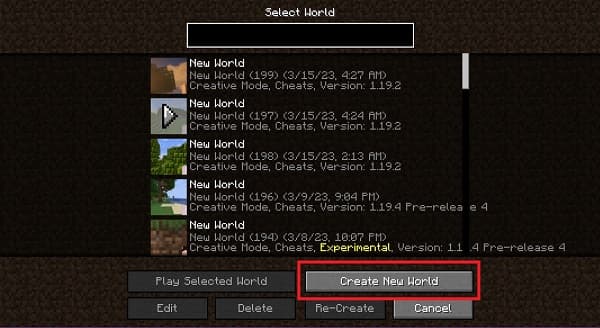
5. Then, on the world creation screen, click on the “Experiments” button in the “more” section.![[No focus keyphrase provided - please provide a keyphrase for optimal results.]](/_next/image?url=https%3A%2F%2Fwp.minerank.com%2Fwp-content%2Fuploads%2F2025%2F07%2FExperiments-in-Minecraft-Java-World-Creation.jpg&w=3840&q=75)
6. Within the experiments section, toggle the “Village Trade Rebalance” feature and then click on the “Done” button.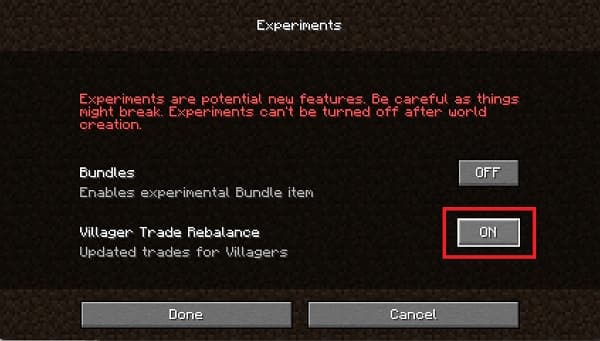
7. Finally, click on the “Create New World” button to launch your world with all the new villager trades.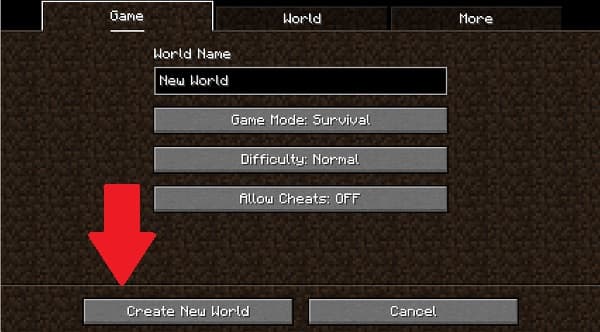
Enable New Trades in Minecraft Java
Follow these simple steps to unlock new trades in Minecraft Bedrock:
1. First, click on the “Play” button on the Minecraft home screen.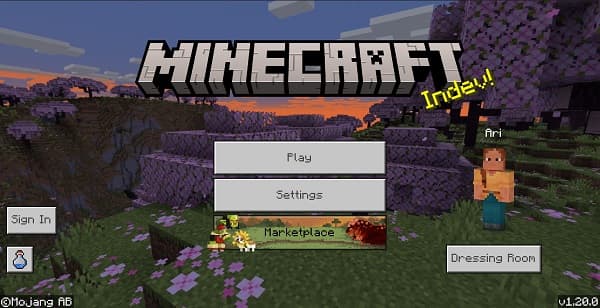
2. Then, within the “Worlds” column, click on the “Create New” button.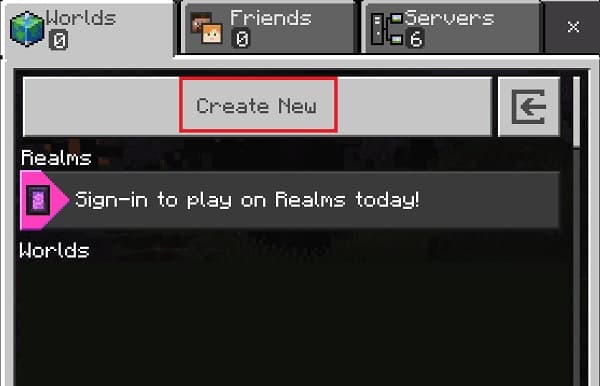
3. Then the game will offer you to make a Minecraft Realms world. Click on the “Create New World” to continue without the multiplayer option. 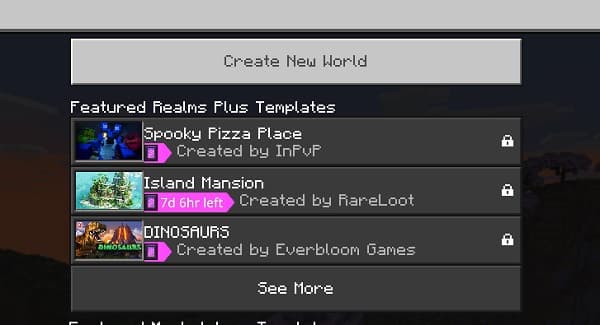
4. Then, go to the “Experiments” section from the left-side tab of the new world settings. There, toggle the “Village Trade Rebalancing” option.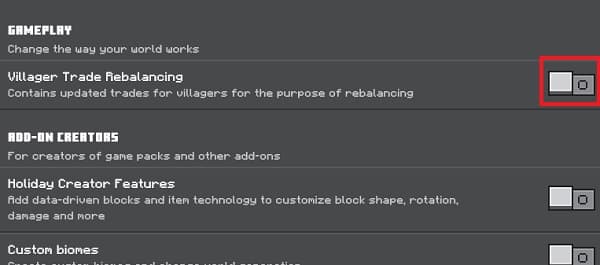
5. Finally, click on the “Create” button and step into your new world. You can also use the best Minecraft village seeds to meet the villagers right after spawning. 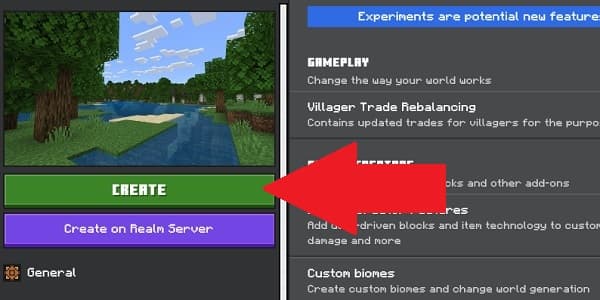
Meet the New Villager
After creating your new world, it’s time to meet the villagers and explore their new trades in Minecraft. Currently, the trade rebalance impacts the following villagers:
- Cartographers
- Librarians
- Armorers
You can explore all of the new changes with our dedicated guide on Minecraft Villager Trade Rebalance. Furthermore, the villagers aren’t the only ones that have new items to offer. You can also find Wandering Traders and get a bunch of unique items from them. Plus, for the first time ever, these trades now also buy items, giving you a new way to get emeralds in Minecraft.
Explore and Test New Villager Trades in Minecraft 1.20.2
With that, you are now ready to start a new village trader hall, there’s more to discover. But, keep in mind that obtaining mobs from village types not yet in the game may be required. So, make sure you know how to get jungle villagers in Minecraft. Plus, some villagers may not require diamonds alongside emeralds. Fortunately, we have a guide on how to obtain diamonds in Minecraft. With these trade secrets in your pocket, you are now ready to start trading and make some great profit!

Udayveer Singh
Udayveer Singh is a contributor to our news feed here at Minerank and is passionate about all things Minecraft!