

Published April 12, 2026 · Updated April 12, 2026
Yes, Minecraft does have crossplay. However, crossplay support will depend on which version of Minecraft you are playing.
Minecraft players on Bedrock can play together on Windows PCs, Xbox, PlayStation, Nintendo Switch, and Android/iOS mobile devices. Under the Bedrock roof, Minecraft uses the same multiplayer ecosystem for all platforms.
The problem starts when a player is on the Java Edition while another is on Bedrock. Java runs exclusively on computers (Windows, Mac, Linux) and has its own separate multiplayer network.
In this article, we’ll walk you through exactly which devices work together, why the Java-Bedrock split creates confusion, and what to check when Minecraft’s crossplay fails.
How to Play Minecraft Cross-Platform
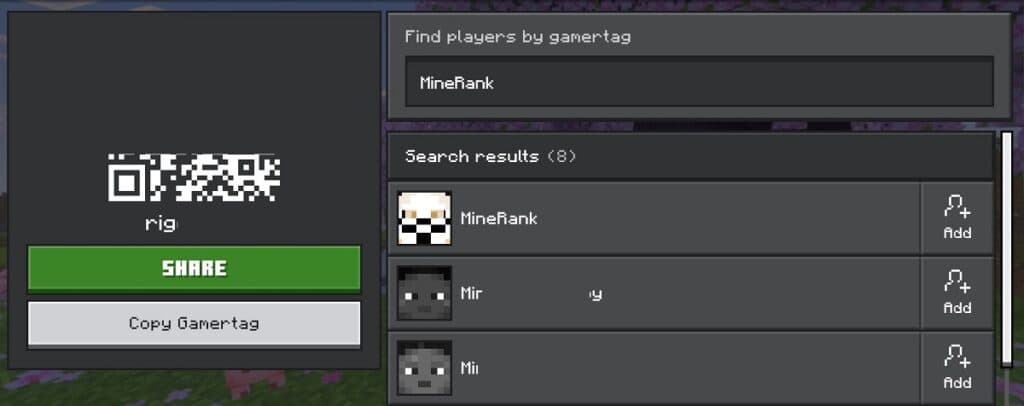
To play Minecraft cross-platform, all players must use the Bedrock Edition and have Microsoft accounts. Here’s how to connect:
- Sign in to your Microsoft account in Minecraft
- Add friends through the Friends tab using their gamertag
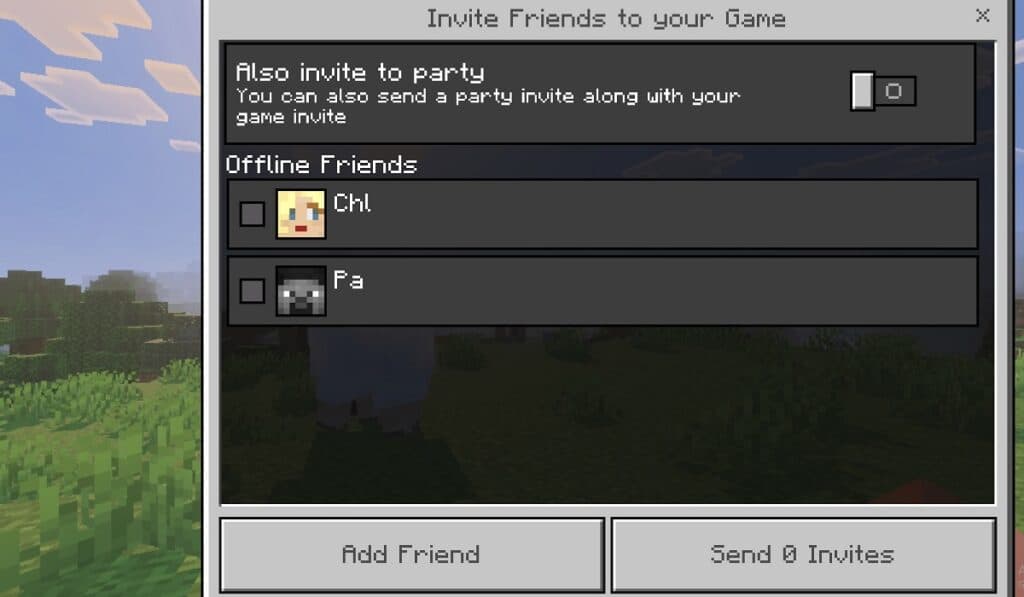
- Join their world from the Friends tab, or invite them to yours
That’s it for Bedrock players on Xbox, PlayStation, Switch, PC, and Mobile. Java Edition supports crossplay only between PC, Mac, and Linux players via servers or LAN.
If you’re mixing Java and Bedrock players, one person needs to switch editions (PC players can do this) or use third-party server plugins.
What Cross-Platform Means in Minecraft
Cross-Platform in Minecraft refers to being in the same world, server, or Realm as friends on different devices.
Crossplay is another term for cross-platform, and they enable PC, Xbox, PlayStation, Switch, & Mobile players to play together.
Crossplay in Minecraft is based on software compatibility rather than the device itself. The game is split into two main versions with Bedrock and Java. Even if two players own Windows PCs, they technically can’t play together if one person is playing Java and the other is playing Bedrock Minecraft.
Here are some quick examples of how cross-platform works on Minecraft:
- Xbox + iPhone = works (both Bedrock)
- Switch + Windows Bedrock = works
- Mac Java + Xbox = doesn’t work (different editions)
- Windows Java + Windows Bedrock = doesn’t work (different versions)
Windows PC is the only platform where you get both Java and Bedrock editions with one purchase. Ideally, you can pick Bedrock to join console and mobile friends, or choose Java to access Java-only servers.
Is Minecraft Cross-Platform on PC?
Yes, Minecraft is cross-platform compatible on PC. New players often get confused about this, since Windows PCs are the only platform with both Bedrock and Java editions available.
Minecraft on PC comes with both Java and Bedrock editions bundled. The two editions have separate multiplayer ecosystems.
You can play Bedrock edition on PC and crossplay with friends on Xbox, PlayStation, Switch, or Mobile. Alternatively, you can play the Java edition to access a more streamlined modding community and various PC servers.
Windows players can switch between Java and Bedrock, but Mac & Linux users only get Java. Similarly, console and mobile players only get Bedrock.
Minecraft Java vs Bedrock: This Is What Actually Decides Crossplay
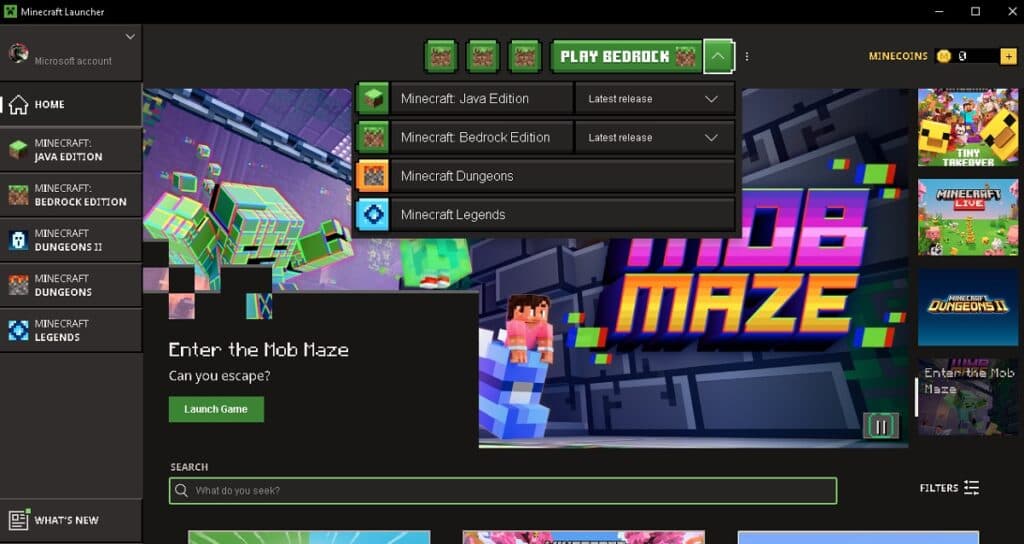
Crossplay in Minecraft is determined by game edition. Bedrock players can only play with others on Bedrock, and the same rule applies to Java players as well.
Minecraft’s Java Edition is the original PC release, and it runs on Windows, macOS, and Linux. Java has the strongest modding community and more server variety.
Bedrock Edition launched in 2017 to unify Minecraft across consoles, Mobile, and Windows. All Bedrock platforms can play together. The main downside of the Bedrock Edition is its toned-down modding capability.
You can check out Minecraft’s official guide on Editions for more details on the differences between the two.
In summary:
- Bedrock connects to Bedrock
- Java connects to Java
- Java and Bedrock don’t mix natively
- There are third-party solutions that enable crossplay between Minecraft’s Java and Bedrock editions.
Which Minecraft Platforms Can Play Together?
Minecraft’s Bedrock Edition covers the widest range of platforms. All players on Bedrock Minecraft can play together:
- Windows 10/11 (Bedrock only, not Java)
- Xbox One and Series X/S
- PlayStation 4 and PlayStation 5
- Nintendo Switch
- iOS and Android phones/tablets
- Select Chromebook models
- Minecraft became available on Chromebooks as of 2023.
Crossplay in Minecraft Bedrock runs through Microsoft accounts. You’ll need one to add friends and join games across these platforms.
Here’s a Minecraft crossplay compatibility table we put together based on what works:
Minecraft Bedrock Edition Crossplay Compatibility
| Device Combination | Works? |
| PC (Bedrock) ↔ Xbox | Yes |
| PC (Bedrock) ↔ Nintendo Switch | Yes |
| PlayStation ↔ Mobile | Yes |
| Xbox ↔ Nintendo Switch ↔ Mobile | Yes |
| Java PC ↔ Any Bedrock Device | No |
Minecraft Java Edition Crossplay Compatibility
| Device Combination | Works? |
| Java PC ↔ Java (Mac/Linux/Windows) | Yes |
| Java ↔ Bedrock | No |
How Minecraft Crossplay Works in Realms, Servers, and Local Multiplayer
Connecting with friends in Minecraft comes down to three main methods: Realms, servers, and direct friend worlds.
Crossplay in Realms
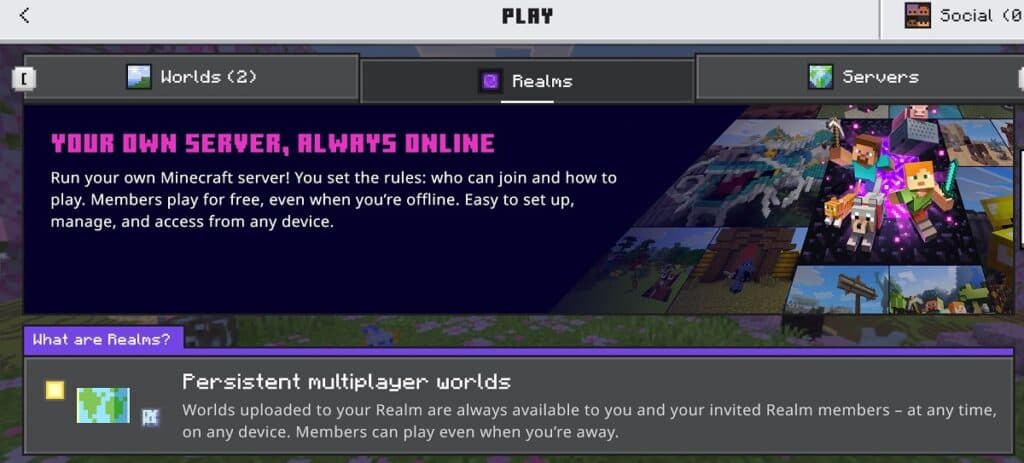
Minecraft Realms are split by edition:
- Bedrock Realms
- Java Realms
These two don’t connect. If your friend invites you to a Realm, you must be using the same edition as they are. A Bedrock player cannot join a Java Realm, and a Java player cannot join a Bedrock Realm.
Overall, console and mobile players will always use Bedrock Realms, so PC players must choose the correct edition before joining their friends. Realms are the simplest way to play together as they are Minecraft’s official hosted worlds, and they run 24/7.
While you may join existing Realms, you can also create one yourself with a Realm Subscription Plan.
Crossplay in Servers
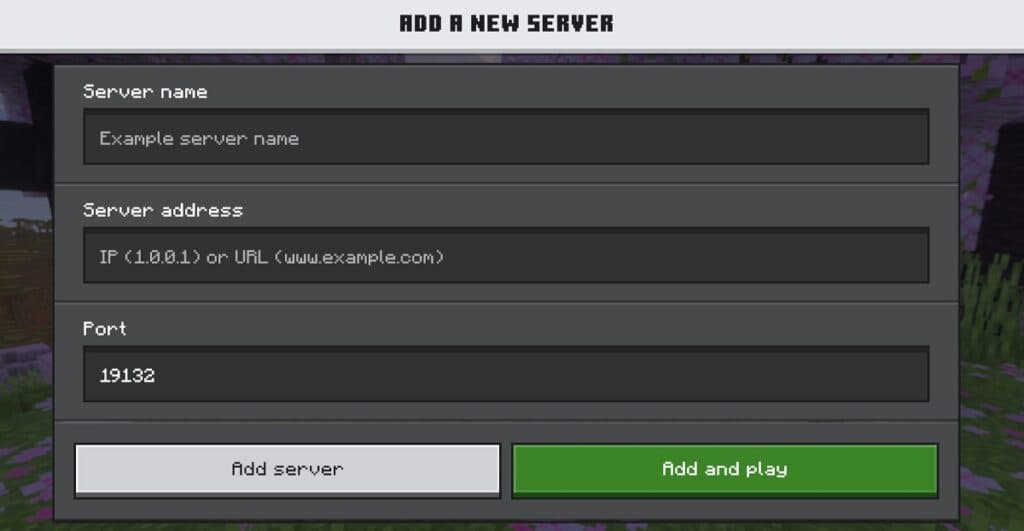
Minecraft servers work similarly to realms, but they’re usually community-run.
Again, everything is edition-based:
- Bedrock players join Bedrock servers
- Java players join Java servers
There is no native crossplay between Java and Bedrock servers. This is why a server IP that works on Java won’t work on Bedrock, and vice versa.
You might see some servers advertising “Java + Bedrock crossplay.” These servers use third-party tools like GeyserMC to bridge the gap.
Local Multiplayer and Friend Worlds
Local Multiplayer and Friend Worlds are the most direct way to play with friends. You can join a friend’s world directly through the Friends tab once you’ve added each other as friends in Minecraft Bedrock.
Minecraft Java works differently. There is no built-in “join friend” system like Bedrock. Every multiplayer session in Java runs through a server.
- LAN (same network): One player opens their world to LAN, and others on the same Wi-Fi can join.
- Private server (hosted by a player): One player sets up a server on their own PC and shares their IP address.
- This process may require port forwarding and keeping the host’s computer online.
- Hosted server (third-party): Players can rent or create a server through a hosting service, so everyone can join anytime without relying on one player’s PC.
Can Java and Bedrock Minecraft Play Together?
No, Java and Bedrock can’t play Minecraft together, natively. However, there are third-party solutions, like GeyserMC, that let Bedrock players connect to Java servers by creating a translation layer between the two editions.
These layering tools work, but there can be mod compatibility issues. We recommend everyone to use Bedrock for a smooth crossplay experience, unless you’d like to get technical.
Why Minecraft Crossplay Sometimes Does Not Work
Minecraft crossplay may fail to work at times for six common reasons: edition mismatch, version mismatch, wrong server type, expired console subscription, blocked multiplayer settings, or pending updates.
- Version mismatch
- Example: Player on 1.20 trying to join a 1.21 world.
- Wrong server type
- Example: Bedrock players trying to join a Java server, or vice versa.
- Expired console subscription
- Example: Trying to play multiplayer without an active PlayStation Plus, Xbox Live, or Nintendo Switch Online subscription.
- Blocked multiplayer settings
- Example: Multiplayer settings could be turned off through privacy controls or parental settings.
- Pending background updates
- Example: Your Minecraft may need a restart after installing updates or changes to your account.
- Edition mismatch
- Example: One player on Java, the other on Bedrock.
Here’s a quick checklist that you can use while troubleshooting for Minecraft crossplay problems:
| Step | What to Check |
| 1 | Confirm both players use the same edition (Java or Bedrock) |
| 2 | Update to the same game version |
| 3 | Join the correct server type |
| 4 | Verify Microsoft account sign-in (Bedrock only) |
| 5 | Check console subscription status |
| 6 | Restart the game |
If a server shows as online but you still can’t connect, use our server status checker to verify if it’s responding.
Best Way to Play Minecraft with Friends Across Devices
Minecraft’s Bedrock edition is the best way to play with friends across devices, especially if you have a wide group. Java only makes sense for PC-focused groups who are also interested in mods.
Bedrock also requires no technical setups, so you can spawn in the same world with your friends in minutes after adding each other to your Microsoft accounts.
When everyone’s on the same version, you can focus on the kind of gameplay you want. Servers are the way to go for unique experiences. MineRank lets you filter by edition and shows live player counts, uptime, and activity trends, so you can easily find active Bedrock servers or crossplay servers full of players.
| Your Group | Edition to Use | Why |
| Mixed devices (console, mobile, PC) | Bedrock | Crossplay across all platforms |
| PC-only, want mods | Java | Access to mods and custom servers |
| Not sure yet | Start with Bedrock | PC players get both editions, can switch later |
Minecraft Crossplay: Key Takeaways
Minecraft’s crossplay officially only works through the Bedrock Edition. Java and Bedrock run separate multiplayer ecosystems, so you’d need third-party solutions to have players from the two editions play together.
Here’s all the key information to remember:
- Bedrock crossplay spans Xbox, PlayStation, Switch, Mobile, and Windows PC.
- You can easily join friends’ worlds by adding each other and sending invitations.
- Java crossplay works across PC, Mac, and Linux.
- Java and Bedrock don’t natively connect.
If you run into errors while initiating crossplay in Minecraft, check your game edition and version first. Finding an active server is often the next step after confirming everyone’s on the right edition. To speed up the process, you can browse Minecraft servers by game mode, like Cobblemon and Prison, or version and country on MineRank.
Minecraft Cross-Platform FAQs
Is Minecraft cross-platform on Xbox and PS4/PS5?
Yes, Xbox and PS4/PS5 both support Minecraft crossplay. Make sure everyone looking to play together has an active Xbox Game Pass and PlayStation Plus membership.
Can Xbox and PS4/PS5 play Minecraft together without PS Plus or Xbox Game Pass?
No, they can’t play together because PlayStation requires an active PS Plus subscription for online multiplayer in Minecraft. Xbox requires at least an active Xbox Game Pass Essential subscription.
Can console and PC play Minecraft together?
Yes, PC and console players can play Minecraft together. All parties must be on the Bedrock Edition. Console players cannot join Java Edition worlds or servers.
Is Minecraft crossplay between PC and PS5?
Yes, Minecraft is crossplay-compatible between PC and PS5 when the PC player uses Bedrock Edition. Java Edition does not support crossplay with PS5.
How do you enable crossplay in Minecraft?
Crossplay in Minecraft is enabled by default on the Bedrock Edition.
Can Java and Bedrock play together?
No, Java and Bedrock cannot play together natively. They run separate multiplayer systems. The only workaround is using third-party plugins like GeyserMC on Java servers.

Vultur
Vultur is a contributor to our news feed here at Minerank and is passionate about all things Minecraft!